 seek
seek

The car key stops working. The kitchen scale shows a blank screen. A toy goes quiet. You open the cover and find a small silver disc, or a cell with letters you have never seen. Now the question is simple: what battery is this, and which one do I buy?
The good news is that most batteries carry their own answer. The short code printed on them (CR2032, LR44, AA, 18650) tells you the chemistry, the voltage and the size. This guide shows how to read that code, what to do when it has worn off, and how to use Seek to go from a photo to the battery type and a place to buy the same one.
Quick answer
Take the battery out and read the code on its flat side or its label. Letters at the start tell you the type: CR is a 3-volt lithium coin cell, LR is a 1.5-volt alkaline cell, SR is a 1.55-volt silver oxide cell. The numbers are the size. Buy the same code. If the code is gone, scan the battery and the battery holder with Seek, ask a follow-up question, and use Find It to look for where to buy it, the device manual, or similar items.
A worked example: the car key that stopped working
A car key fob only works when you stand right next to the car. You open it with a coin and find a thin silver disc. The writing is small and half worn off.
You scan it. Seek suggests a lithium coin cell in the batteries category, and a closer photo of the flat side shows CR2025. That code says: lithium (C), round (R), 20 mm across (20), 2.5 mm thick (25).
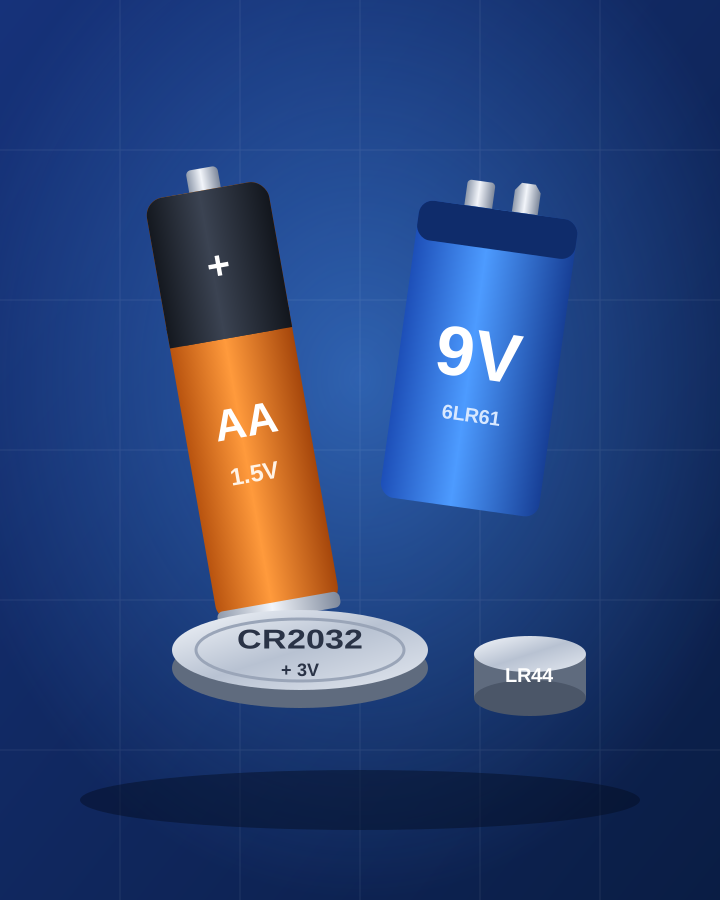
The shop only has CR2032, so you ask Seek: “Can I use a CR2032 instead of a CR2025?” The answer: both are 3 volts and 20 mm wide, but the CR2032 is 3.2 mm thick, so it may not fit or may press the contacts too hard. The safe choice is the same code. Find It then helps you look for where to buy a CR2025, and for the fob’s manual, which shows how to open it and which way the battery goes in. The image at the top of this page is an illustration, not an app screen.
Step by step: from a dead device to the right battery
- Take the battery out. Note which way it sat. Many holders have a small + mark; take a quick photo before you remove it.
- Read the code. On coin cells it is on the flat + side. On AA and AAA cells it is on the label, often next to a second code such as LR6. Tilt the battery under a light; worn codes are easier to read at an angle.
- Scan it with Seek. Lay it on a plain surface with the code facing up. Seek suggests a name, a category and a confidence score. Then scan the empty holder as well; the shape of the holder shows the size.
- Check the device. Look inside the battery cover and on the back of the device. Many say the type right there, for example “2 x AAA” or “CR2032”.
- Ask Seek about swaps. Ask things like “Can I use a rechargeable here?” or “Is SR44 the same as LR44?”. Check the answer against the device manual.
- Use Find It. Look for where to buy the same battery, the device manual, or similar items. For tool and laptop batteries, search with the model printed on the battery pack, not only the voltage.
How to read a battery code
Coin and button cells use a simple pattern. The first letter is the chemistry: C for lithium (3 V), L for alkaline (1.5 V), S for silver oxide (1.55 V). The R means round. For coin cells, the first two numbers are the width in millimetres and the last two are the thickness in tenths of a millimetre, so a CR2016 is 20 mm wide and 1.6 mm thick. Round cells like AA have two names: the common one (AA) and a code (LR6 for alkaline). Both mean the same size.
Quick reference: common batteries and how to recognise them
- AA (LR6) The most common round cell, about 50 mm long and 14 mm wide. 1.5 V alkaline, 1.2 V if it is rechargeable NiMH.
- AAA (LR03) Thinner and shorter than AA. Remotes, mice, small torches.
- C (LR14) and D (LR20) Fat round cells. C is mid size; D is the largest. Big torches, radios, some toys.
- 9 V (6LR61) Small rectangular block with two snap terminals on top. Smoke alarms, guitar pedals, meters.
- CR2032 20 mm lithium coin cell, 3.2 mm thick. Kitchen scales, computer clocks, key fobs, trackers.
- CR2025 and CR2016 Same 20 mm width as CR2032, but thinner. Not always a swap; match the code.
- LR44 / SR44 Small, thick button about 11.6 mm wide. Toys, calculators, laser pointers. SR44 is the silver oxide version and lasts longer in watches and calipers. Many film cameras use it too; see identify an old camera or lens by photo.
- CR123A Short, fat 3 V lithium cell. Cameras, some smart home sensors, torches.
- 18650 Looks like a fat AA, 18 mm wide and 65 mm long, 3.6–3.7 V lithium-ion. Torches, vapes, battery packs. Never put one in a device made for AA.
- Hearing aid cells Tiny zinc-air buttons with a coloured sticker that shows the size: yellow (10), brown (312), orange (13), blue (675). Pull the sticker only when you use it.
- Power tool pack A plastic block that slides or clicks into the tool. Voltage and the pack model are on the label; packs usually fit only one brand’s tool range.
- Phone or laptop battery A flat pack inside the device. Use the model on the pack or the device model; do not buy by size alone.
Same size is not always the same battery
Three mistakes come up again and again. First, thickness: CR2032, CR2025 and CR2016 are all 20 mm wide, but a thinner cell can lose contact and a thicker one may not fit. Second, voltage: an 18650 looks like a large AA but gives more than twice the voltage, which can damage a device made for AA. Third, rechargeables: NiMH AA cells give 1.2 V instead of 1.5 V. Most devices are fine with that, but some, like a few clocks and smoke alarms, say “alkaline only” in the manual.
Safety and disposal
Coin and button cells are a serious danger if swallowed. Keep new and used ones away from children and pets, and tape the + side before you throw a used one away. Do not mix old and new batteries, or different types, in one device. If a lithium-ion pack is swollen, hot, or smells strange, stop using and charging it. Take used batteries to a battery recycling point; many shops that sell batteries have one.
Honest limits
Seek names the kind of battery and helps you look for where to buy it, the manual and similar items. A photo cannot measure voltage or tell if a battery is still good; a cheap battery tester or a multimeter can. If the code has worn off, Seek can suggest the likely type from the shape, but check the device or its manual before you buy. A result can be wrong, and the photo is sent to Seek’s servers to be identified.
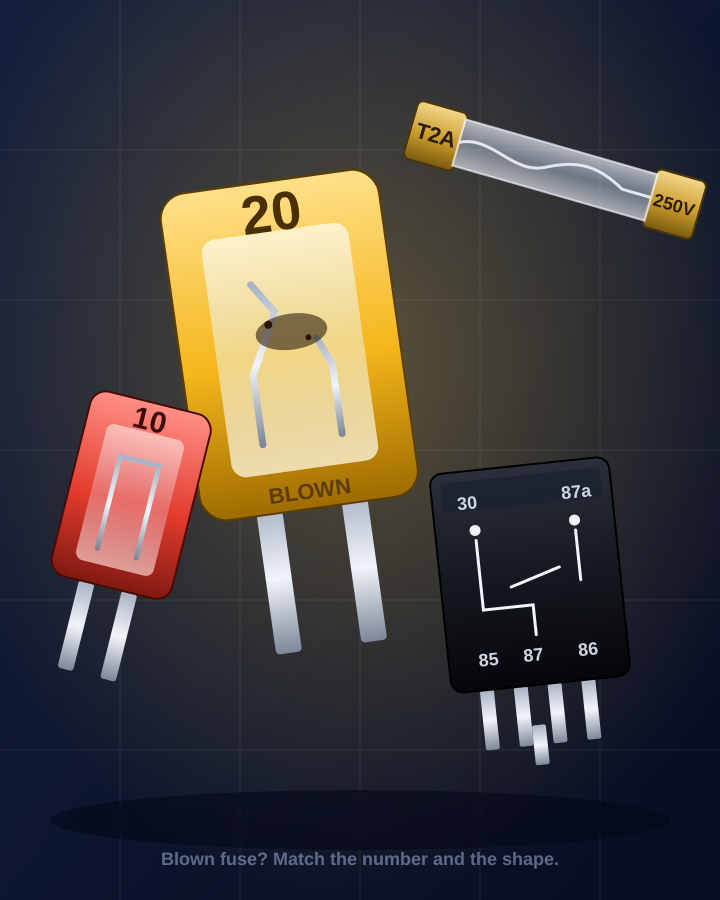
If the battery came out of a remote, see identify a remote control by photo. To find the manual that lists the right battery, see find a user manual from a photo, and for a lost battery cover or a broken holder, find a spare part from a photo. Found a loose battery among other mystery bits? Try what is this thing in my junk drawer? For tool batteries and chargers, identify a tool by photo and identify a cable or adapter can help. For the other small parts on a circuit board, such as capacitors, fuses and resistors, see identify an electronic component by photo.
Common questions
How do I know what battery I need?
Read the code on the old battery, for example CR2032, LR44 or AA, and buy the same code. If it has worn off, look inside the battery cover or in the device manual, or scan the battery and its holder with Seek.
What does CR2032 mean?
C means lithium (3 volts), R means round, 20 is the width in millimetres and 32 is the thickness in tenths of a millimetre, so 3.2 mm.
Can I use a CR2032 instead of a CR2025?
They have the same voltage and width, but the CR2032 is thicker, so it may not fit or may press the contacts too hard. Use the same code when you can.
Is LR44 the same as SR44?
They are the same size. LR44 is alkaline (1.5 V); SR44 is silver oxide (1.55 V) and keeps a steadier voltage, which suits watches and measuring tools. In toys and calculators either usually works; check the manual if unsure.