 seek
seek

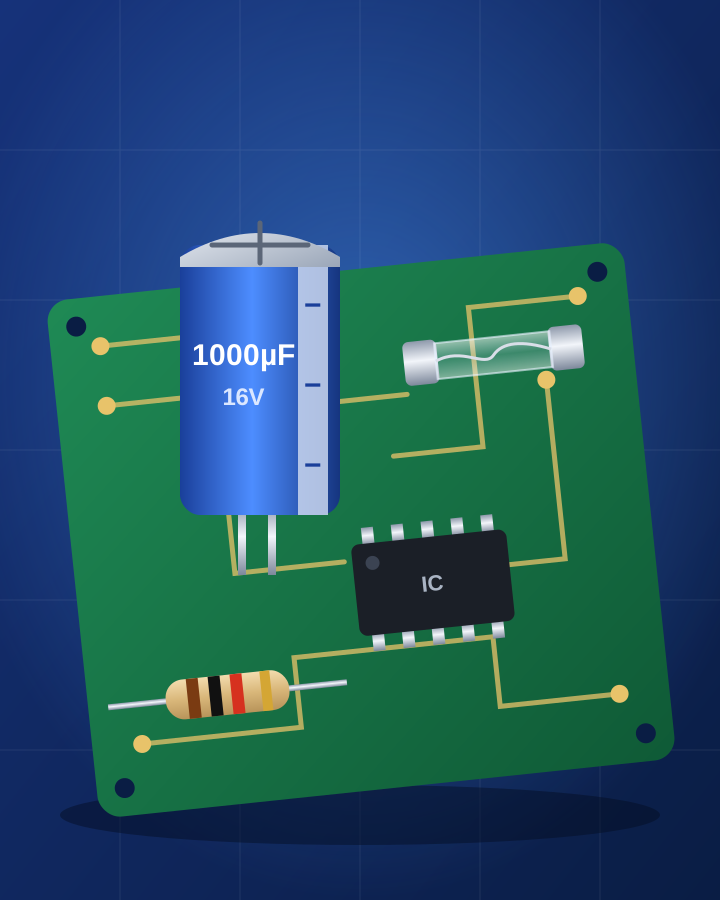
A router that will not start, a speaker that went silent, a game controller that died. You open the case and look at a green board full of tiny parts: cylinders, beads with coloured stripes, little black blocks. One of them looks burnt or swollen, and you do not know what it is called.
This guide is for curious beginners and people who like to repair things. It shows how to use Seek to name the kind of component from a photo, how to read the markings that tell you its value, and how to look for a replacement or a repair guide with Find It. It also says clearly when to stop.
Quick answer
Unplug the device and take out any batteries. Photograph the board, then scan the part you are curious about with Seek. It gives a name and a category, for example “electrolytic capacitor”, Electronics. Then read what is printed on the part: numbers, letters or colour bands. Those markings, not the shape, decide which replacement you need. Use Ask Seek to explain the markings in plain words, and Find It to look for spare parts, repair guides for the device and where to buy.
A worked example: the swollen part on a power board
A small speaker stopped turning on. Inside, next to where the power cable enters, there is a tall blue cylinder standing on two legs. Its flat top is not flat any more; it bulges up a little, and there is a brown crust at the bottom.
You scan it. Seek suggests an electrolytic capacitor in the electronics category. You ask Ask Seek, “What does it do and why is the top bulging?” The answer: it stores and smooths electrical energy, and a bulging top or a leak at the base are common signs that it has failed. The printed text reads “1000µF 16V”, and there is a pale stripe with minus signs down one side.
Ask Seek explains those three clues. 1000µF (microfarads) is the capacitance, 16V is the highest voltage it is made for, and the stripe marks the negative leg, so a new one must go in the same way round. Find It then helps you look for where to buy a replacement and for repair guides for that kind of device. The image at the top of this page is an illustration, not an app screen.
Step by step: from a dead gadget to the right part
- Unplug it first. Disconnect the power, take out any batteries, and wait. Do not open anything that plugs into the wall if you are not sure it is safe (see the safety section below).
- Photograph the whole board. One clear photo before you touch anything, so you remember where each part sits and which way round it goes.
- Scan the part. Use good light and fill the frame with the component. Seek gives a name, a category and a confidence score.
- Read the markings. Take a close photo of the printed text or colour bands. Use the phone’s zoom; markings on small parts are tiny. Write them down.
- Ask what the markings mean. Use Ask Seek, by text or voice: “What does 1000µF 16V mean?” or “What do these colour bands mean?”.
- Scan the device too. The model of the gadget helps you find the manual and repair guides that may list the exact part.
- Use Find It. Look for spare parts, repair guides and where to buy. Compare the shop listing with every marking on your old part before you order.
Quick reference: common components and how to recognise them
- Resistor Small bead on two wire legs with coloured bands. The bands give its value; brown, black, red, gold means 1,000 ohms.
- Electrolytic capacitor Cylinder standing on two legs, often blue or black, with a stripe marking the negative side and a cross or K pressed into the top.
- Ceramic capacitor Small flat disc, often orange or yellow, on two legs, printed with a short number code such as 104.
- Diode Small black or glass cylinder with a band at one end. Current flows only one way, so the band shows which way it goes in.
- LED Small clear or coloured dome on two legs, one leg usually longer than the other.
- Transistor Small black body with a flat face and three legs, or a larger one with a metal tab and a screw hole.
- Voltage regulator Looks like a large transistor with a metal tab, often fixed to a metal heat sink.
- Integrated circuit (chip) Black rectangle with rows of legs on two or four sides and a dot or notch marking pin 1.
- Glass fuse Small glass tube with metal caps and a thin wire inside. A broken wire or a dark inside means it has blown.
- Inductor or coil Copper wire wound around a ring or a small drum.
- Relay Small box, often black or blue, that clicks when it switches.
- Crystal Small shiny metal can, oval or rectangular, on two legs.
Read the markings: what the shape cannot tell you
Two parts can look exactly the same and be completely different inside. These checks matter more than the photo:
- Value and voltage. For a capacitor, match the capacitance, and use the same or a higher voltage rating. For a fuse, match the rating printed on the cap exactly; never fit a bigger one.
- Which way round. Electrolytic capacitors, diodes and LEDs only work one way. Note the stripe, the band or the longer leg before you remove the old part.
- Part numbers on chips and transistors. The long code printed on top is the identity of the part. Search for that exact code; the shape alone says very little.
Safety, and honest limits
Some devices store dangerous energy even when they are unplugged. Do not open microwaves, televisions, computer power supplies, camera flash units or anything with large capacitors in a mains power section unless you are trained. Swollen or leaking lithium batteries also need care; do not puncture or charge them. When in doubt, take the device to a repair shop.
Seek names the kind of component and helps you look for parts and repair guides. It cannot measure a value, test a part, or confirm that a replacement is right for your circuit, and very small markings may be hard to read from a photo. A result can be wrong, and the photo is sent to Seek’s servers to be identified. Seek does not give prices or valuations.
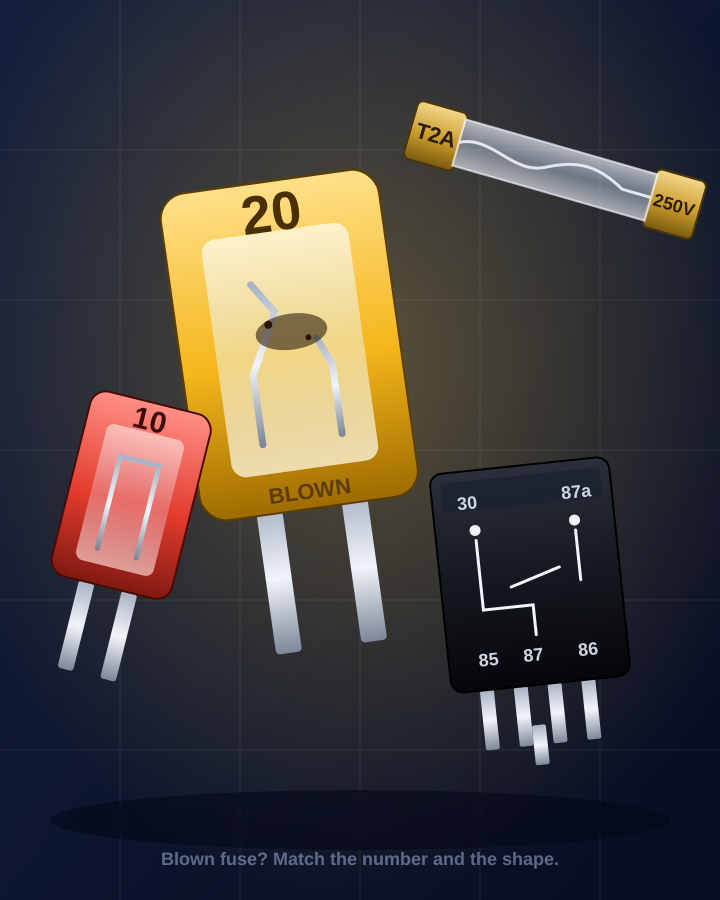
For the plugs and chargers outside the device, see identify a cable or adapter by photo. For coin cells and other batteries, see identify a battery type by photo. For a blown fuse, a glass tube or a car relay, see identify a fuse or relay by photo. For whole parts of an appliance, see find a spare part from a photo, and for the repair instructions, find a user manual from a photo.
Common questions
How do I identify an electronic component from a photo?
Unplug the device, take a clear photo of the part and scan it with Seek to get the kind of component. Then take a close photo of the printed markings or colour bands. The markings tell you the value or part number you need to match.
What does a swollen capacitor mean?
A bulging top or a brown leak at the base of an electrolytic capacitor is a common sign that it has failed. It is a frequent cause of devices that will not turn on. Replace it with one of the same capacitance and the same or a higher voltage, fitted the same way round.
How do I read the colour bands on a resistor?
Each colour stands for a number. Read the bands from the end that is farther from the gold or silver band: the first bands are digits and the next one is the multiplier. Brown, black, red, gold is 1,000 ohms. Ask Seek can explain the bands on your resistor.
Can Seek find the exact part number?
Seek can name the kind of component and help you look for spare parts and repair guides. The exact part number is printed on the part, so read it from a close photo and match it before you buy.