 seek
seek

Every garage has one. A strange tool at the bottom of an inherited toolbox, a metal thing from a yard sale, a leftover piece that came with flat-pack furniture. You know it does a job. You just do not know which job, or what to call it.
The hard part is that you cannot search for something you cannot name. Typing “metal tool with hook and two handles” rarely gets you far. A photo is faster. This guide shows how to identify a tool by picture with your phone, and what to do once you have the name.
A real example: the thing in dad’s toolbox
Here is a typical case. A flat metal handle with a fan of thin steel blades that fold out, each blade stamped with a small number. It looks like a pocket knife that cannot cut anything.
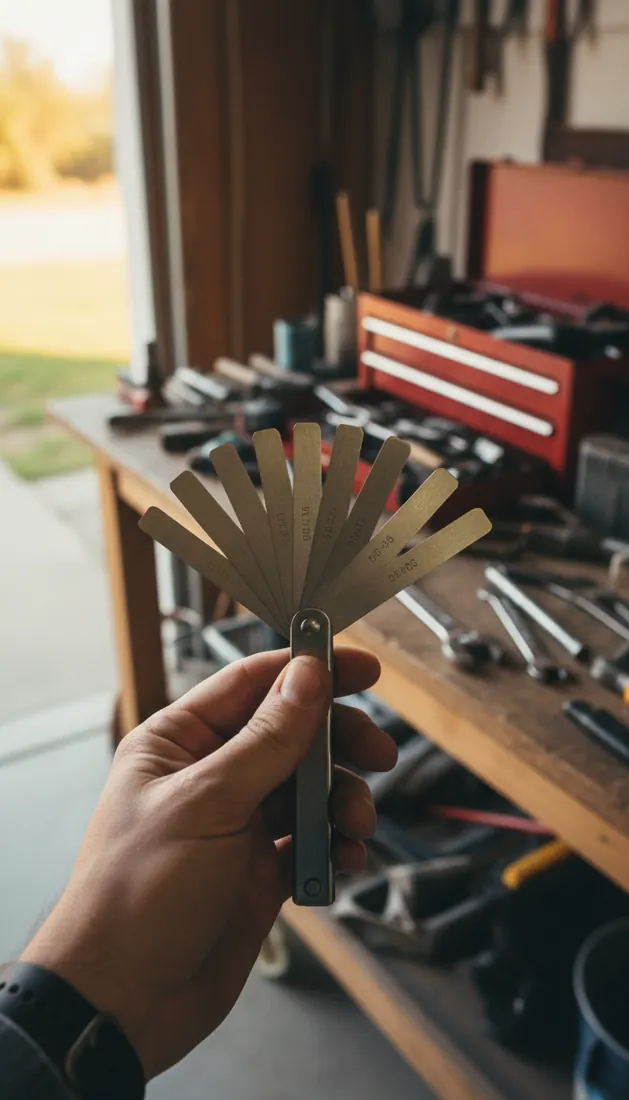
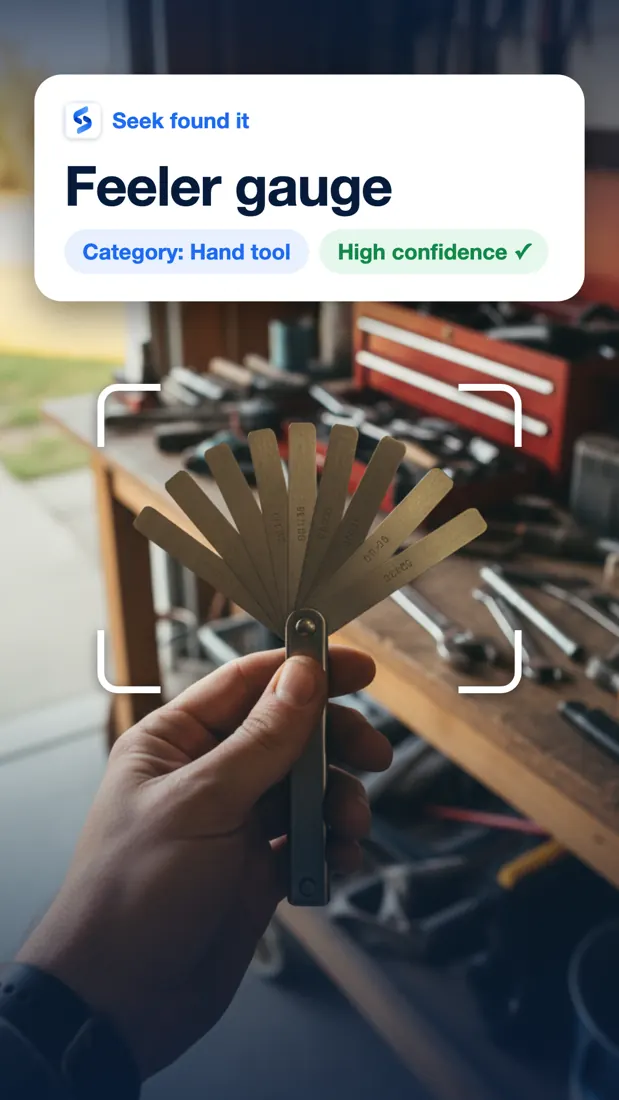
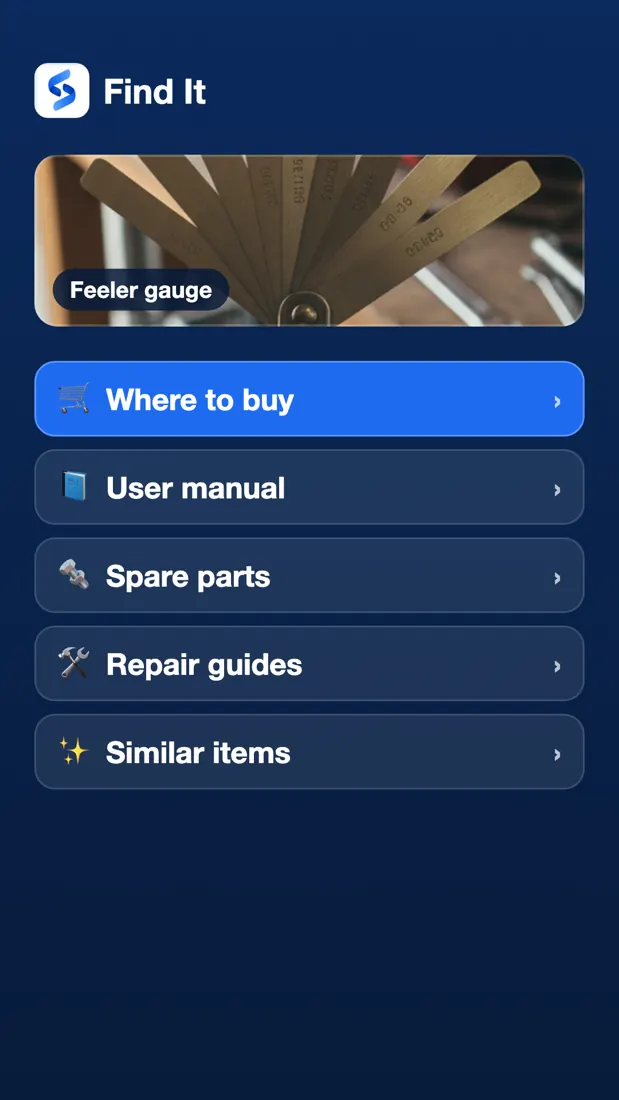
It is a feeler gauge. Each blade has an exact thickness, and the number stamped on it is that thickness. Mechanics slide the blades into a small gap to measure it, for example the gap of a spark plug or the clearance of an engine valve. Once you have the name, the tool makes sense, and you can look up how to use it. The images are examples of the Seek flow.
How to identify a tool by photo, step by step
- Clean it and put it on a plain surface. Wipe off dust and grease. A workbench, a sheet of paper, or the floor works well. A busy background makes any photo harder to read.
- Show the working end. The jaws, blade, tip, or head tells the most about what a tool does. Make sure that part is sharp and fills most of the frame.
- Open Seek and point your camera at the tool. Seek suggests a name, a category, and a confidence score.
- Check the confidence. If it is low, or the name does not look right, take another photo from a different side. A result can be wrong, especially for an exact brand or model.
- Ask a follow-up question. With Ask Seek you can type or speak a question about the tool you just scanned, such as “What is this used for?” or “How do I hold it?”
- Save it. Add the tool to a collection so the name is there the next time you need it.
Tools that people often cannot name
Some tools turn up again and again in old toolboxes and kitchen-drawer junk piles. A few examples of what a photo can help you sort out:
- Pliers that all look alike. Needle-nose, slip-joint, locking, and lineman’s pliers do different jobs. The shape of the jaws is the clue.
- Specialty wrenches. A basin wrench has a long shaft and a swivel jaw for reaching nuts behind a sink. A strap wrench grips round things without scratching them. Neither looks like a normal wrench.
- Old woodworking tools. Hand planes, spokeshaves, marking gauges, and brace drills are common in inherited tool chests and easy to mix up.
- Bits and drivers. Phillips, Torx, hex, and square-drive tips look similar at a glance. Using the wrong one strips the screw.
- Electrical and measuring tools. Wire strippers, crimpers, multimeters, and feeler gauges often confuse people who did not buy them.
Quick reference: 12 tools people ask about
If you only have a shape in your head, this list may already answer it.
- Feeler gauge A fan of thin metal blades with numbers. Measures small gaps.
- Basin wrench A long shaft with a pivoting claw at the end. Reaches the nuts behind a sink.
- Spoke wrench A small disc or key with slots. Tightens bicycle spokes.
- Brace A crank-shaped hand drill with a round knob on top.
- Spokeshave Two side handles with a short blade between them. Shapes curved wood.
- Awl A handle with a sharp spike. Marks wood or pierces leather.
- Nut driver Looks like a screwdriver, but the tip is a socket.
- Tin snips Heavy scissors with short blades. Cut sheet metal.
- Rivet gun Two long handles and a small nose. Sets pop rivets.
- Wire stripper Pliers with a row of notches in different sizes.
- Hex key An L-shaped bar with six sides. Common with flat-pack furniture.
- Stud finder A small electronic box you slide along a wall to find the framing behind it.
You know the name. Now what?
A name is only the start. Most people who look up a tool want to do something with it. After a scan, Find It in Seek helps you look for:
- Where to buy the same tool, if yours is broken or you need a second one.
- The user manual, which matters most for power tools.
- Spare parts, such as blades, batteries, or chargers. See how to find a spare part from a photo. For the screws and bolts the tool drives, see identify a screw or bolt by photo. For the odd socket that came with a car, see what is a wheel lock key?.
- Repair guides for a tool that has stopped working.
- Similar items, if you want to compare options.
Tips for a better tool photo
- Use good light. Daylight near a window is best. Dark metal in a dark garage loses its shape in a photo.
- One tool at a time. Take it out of the pile before you scan it.
- Include markings. Many tools have a brand, a size, or a model number stamped into the metal or printed on a label. Get close enough that it is readable.
- Open folding or adjustable tools. A closed multi-tool or folded saw hides the parts that identify it.
- Try a second angle. Side view first, then the working end head-on.
A note on safety
Knowing the name of a tool is not the same as knowing how to use it safely. Before you plug in or use an old power tool, check the cord and guards for damage and read the manual. If you are not sure, ask someone with experience. Working on a car or a leaking tap? See identify a car part by photo and identify a plumbing part by photo. For a cordless vacuum that stopped working, see identify a vacuum part by photo, and for cabinet hinges and drawer slides, identify door or cabinet hardware by photo.
Common questions
Can I identify a tool from a photo?
Yes. Take a clear photo of the tool with the Seek app and it suggests a name, a category, and a confidence score. A result can be wrong, especially for an exact brand or model, so check it against any markings on the tool.
Can Seek identify old or antique tools?
Seek can often name the type of an old tool, such as a hand plane or a brace drill. Exact maker and age are harder. Look for stamped names or numbers on the metal and ask Seek a follow-up question about them.
What if the tool has no brand name or label?
Photograph the working end of the tool, because the shape of the jaws, blade, or tip says the most about what it does. If the first result is not right, try another angle or a plain background.
Is Seek free?
Seek is free to download and use on iPhone and Android.