 seek
seek

The coffee machine came with the flat. The air fryer was a gift without a box. The drill is second-hand. Now something blinks, beeps, or will not start, and the answer is in a manual you do not have. Every manual website asks the same thing first: brand and model number. The problem is that you do not know them, or you cannot find them on the product.
This guide starts one step earlier, with a photo. With Seek you get what the product is, then you find the label with the model number, and then the manual. If the item is so old or so simple that no manual exists, you can still learn how to use it.
A worked example: the espresso machine with no box
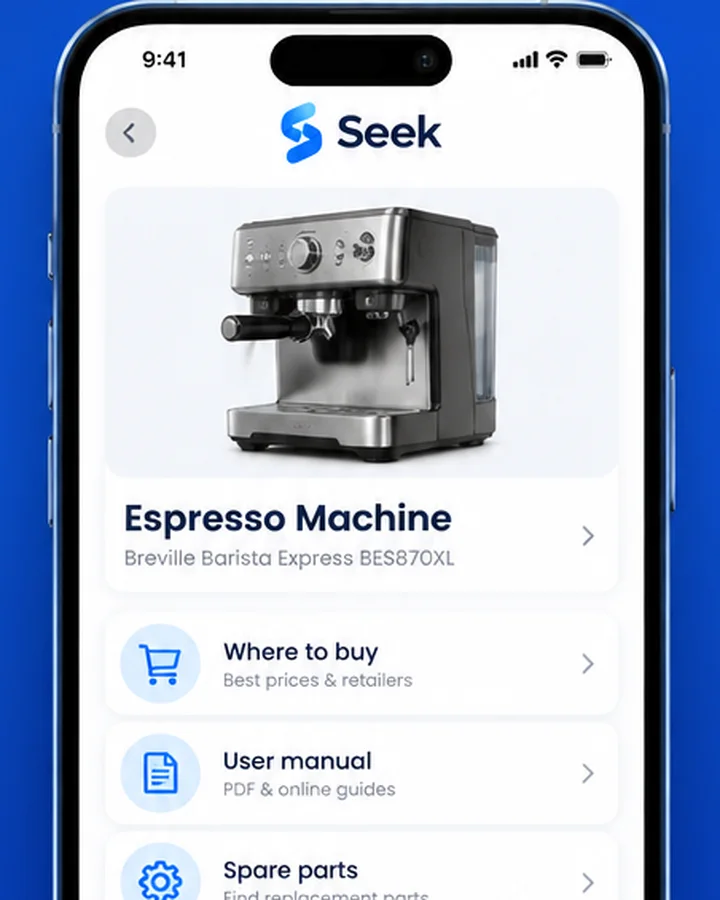
You scan the machine on the kitchen counter. Seek identifies it as an espresso machine and suggests a likely brand and model. That is a strong start, but a result can be wrong, and machines that look the same can have different model numbers. So the next step is to confirm it with the label.
On most coffee machines the label is underneath or behind the water tank. Photograph it close up, read the model number, and compare it with what Seek suggested. Then open Find It and tap User manual to look for the manual for that model. In the same place you can look for spare parts, repair guides, and where to buy.
Step by step: from photo to manual
- Scan the whole product. Stand back so the full shape is in the frame, in good light. Seek suggests a name, a category, and a confidence score, and sometimes a brand and model.
- Find the rating label. It is a sticker or metal plate with the brand, the model number, and electrical data. Use the quick reference below to know where to look.
- Photograph the label. Hold the phone close and steady. If the print is small, zoom into the photo afterwards to read it.
- Check the model. Compare the number on the label with Seek’s suggestion. If they differ, trust the label.
- Use Find It → User manual. Find It helps you look for the manual, plus spare parts, repair guides, and where to buy.
- Ask your actual question. Often you do not need the whole manual, only one answer. With Ask Seek you can type or say “What does a blinking red light usually mean on this?” or “How do I descale it?”, and then check the answer against the manual.
Quick reference: where the model label usually is
- Washing machine Around the door opening, on the inside of the door, or on the back.
- Dishwasher On the side edge of the door or the inside wall of the tub; open the door to see it.
- Fridge Inside, on a side wall of the main compartment, often near the vegetable drawers.
- Oven or cooker On the frame around the oven door, visible when the door is open, or in the bottom drawer.
- Microwave On the inside of the door frame or on the back.
- Coffee machine Underneath, or behind the removable water tank.
- Vacuum cleaner Under the base, behind the dust bin, or near the battery.
- TV, monitor, or router A sticker on the back panel or underneath.
- Power tool On the motor housing or near the battery slot.
- Printer On the back, or inside the front cover.
- Flat-pack furniture A small sticker on the underside or on the back panel, often with an article number.
Labels hide in different places on different models, so treat this list as a starting point. If the label is gone, scan the product itself and look for the model name printed on the front, the control panel, or the battery.
When there is no manual at all
Old and simple things often never had a manual: a vintage kitchen gadget, a hand tool from a grandparent’s workshop, an old camera. Here a manual search will not help, but a photo still does. Scan it, get the name, and ask how it is used.

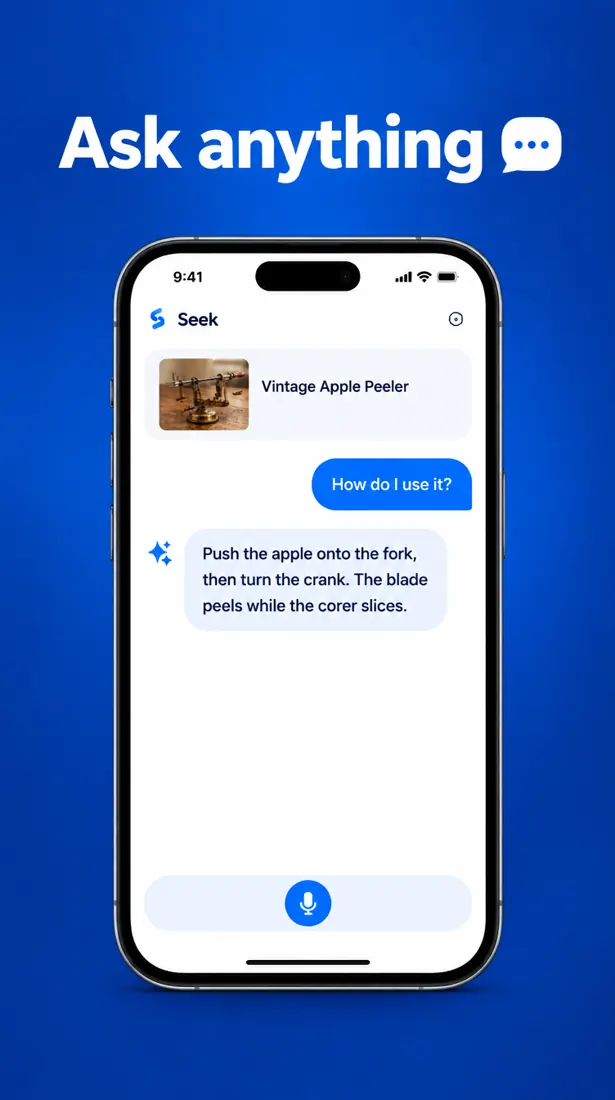
The screens above are examples of the Seek flow with a vintage apple peeler. There is more about old kitchen tools in identify a kitchen tool by picture, and about workshop tools in identify a tool by photo.
Tips for finding the right manual safely
- Search with the exact model number plus the word “manual”. Adding “pdf” often helps.
- Prefer the maker’s own support page. It has the right version and the safety information.
- Be careful with sites that ask you to install software or pay for a manual that should be free.
- Check the version. Many manuals cover several models; make sure yours is listed on the first pages.
- Save it. Keep the product in a Seek collection so you can find it again next time.
Honest limits
Seek can often suggest a brand and model, but exact models are not guaranteed, and the label is always the better source. Some manuals are simply not online. For repairs that involve mains electricity, gas, or water under pressure, follow the official manual or ask a professional, and unplug the appliance before you open it. If the problem is a broken part, continue with find a spare part from a photo. If it is a charger or cable that is missing, see identify a cable or adapter by photo. Lost the remote? See identify a remote control by photo. For sewing machines, the manual also lists the right bobbin and presser feet: see identify a sewing tool by photo.
Common questions
How do I find a manual if I do not know the model number?
Take a photo of the product with the Seek app to get what it is and a likely brand and model. Then find the rating label on the product, read the model number, and use Find It to look for the user manual.
Where is the model number on an appliance?
Usually on a sticker or metal plate: inside the door frame of washing machines, dishwashers and ovens, inside the fridge on a side wall, and underneath or on the back of small appliances.
Can Seek find the exact model from a photo?
Sometimes, but not always. Similar models can look the same. Always confirm with the model number on the label before you download a manual or order a part.
What if my item never had a manual?
Old or simple items often did not. Scan it with Seek to get the name, then use Ask Seek to ask how it is used and what to be careful about.