 seek
seek

Old cameras turn up everywhere: in a parent’s cupboard, in a box from a house clearance, at a thrift store. Next to them there is often a loose lens, a flash, or a small meter with a needle. Most people want to know three things: what is this, does it still work, and how do I use it?
Most pages about old cameras stop at “what is it worth”. This guide is about using the thing. It shows how to name a camera, lens or accessory with Seek, how to read the markings that tell you the model, film and lens, and how to find the manual, the battery and a repair guide with Find It.
Quick answer
Photograph the camera from the front, then the top plate and the bottom plate, and the writing around the lens. Scan it with Seek to get the kind of camera, such as “35mm SLR film camera” or “twin-lens reflex camera”. Then read the model name and numbers yourself and ask Ask Seek: “What film does it take?”, “What battery does it need?”, “How do I load it?”. Use Find It to open the user manual, a repair guide and where to buy film, batteries or parts. Do not open the back if there may be film inside.
A worked example: the camera in the cupboard
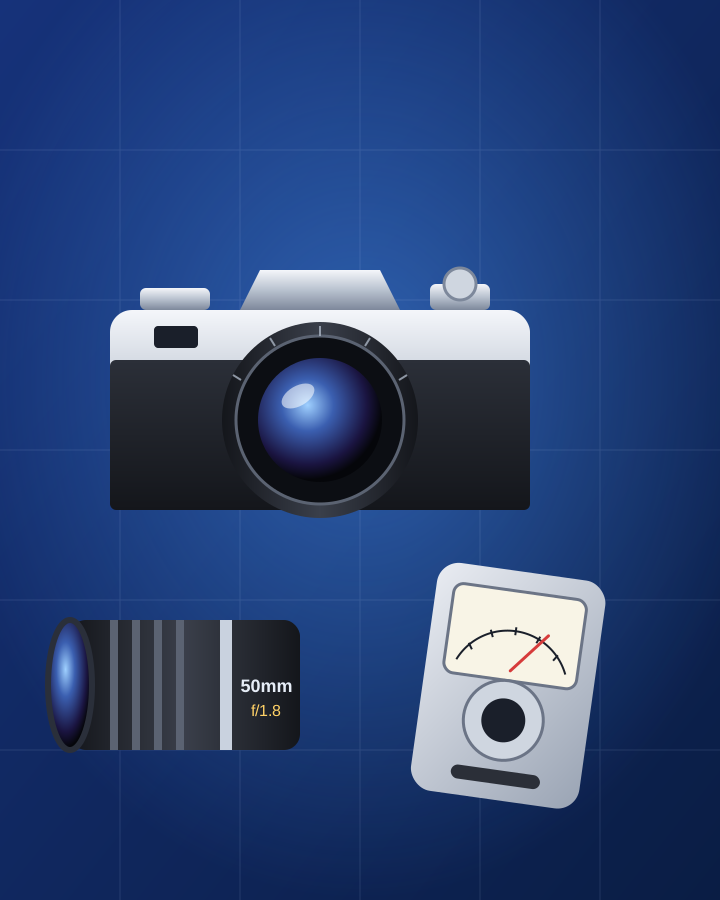
A black and silver camera with a lens on the front. On the top there is a small lever, a dial with numbers like 1000, 500, 250, and a knob that you can lift. On the lens ring: “50mm” and “1:1.8”. Seek names it a 35mm SLR film camera. Ask Seek explains what the markings mean: the dial is the shutter speed, 50mm is the focal length, and 1:1.8 (or f/1.8) is the widest aperture. Asked “Is there film inside?”, it explains how to check: look at the film counter on the top, and turn the rewind knob gently; if you feel resistance, there is film, so rewind it before you open the back. Find It then shows the user manual, a repair guide, and where to buy 35mm film and the right battery.
The same flow works for accessories. In our second example, a small grey box with a needle turned out to be a light meter:
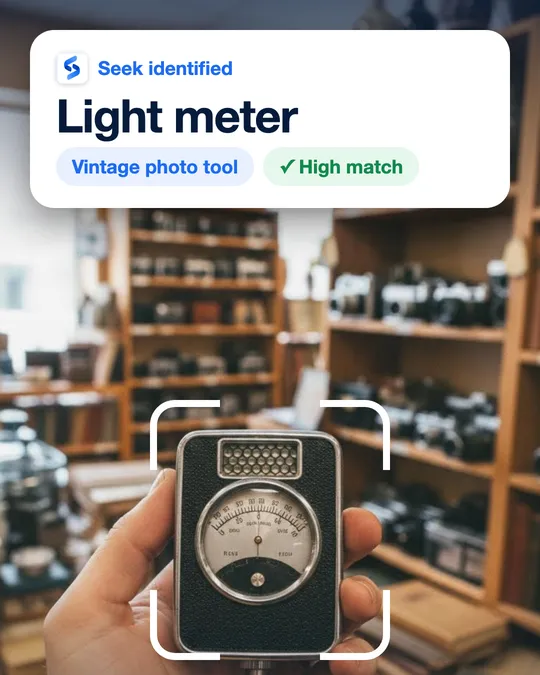
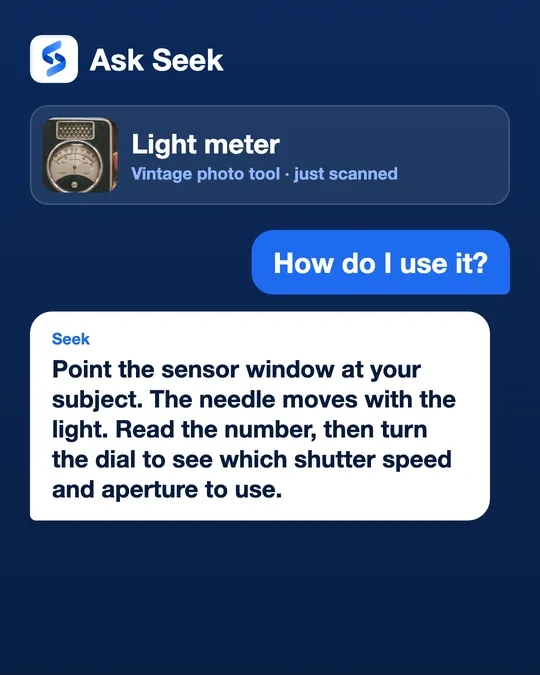
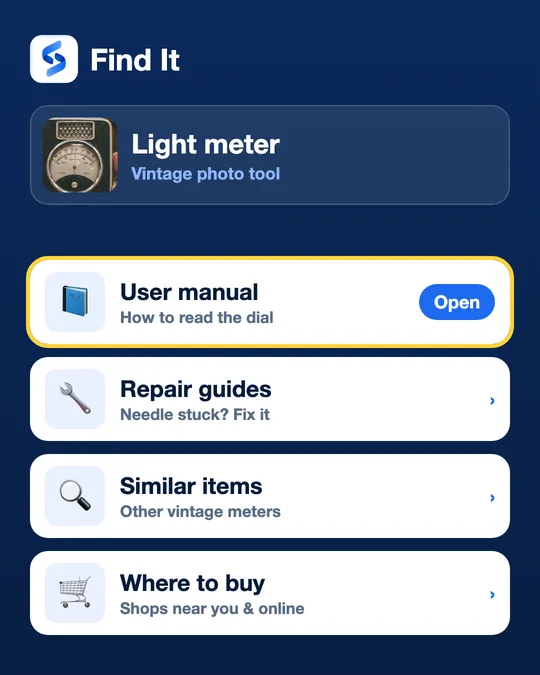
The images on this page are an illustration and example screens of the Seek flow. For the full light meter story, see identify a vintage item by photo.
Step by step: from “what is this?” to taking a photo
- Check for film first. Look at the frame counter on the top. If it shows a number, gently turn the rewind knob or crank. Resistance means film is loaded. Rewind it fully before you open the back, or the film will be ruined.
- Scan the whole camera. Front view, in good light, with the lens in the frame. Seek gives a name, a category and a confidence score.
- Read the markings. The brand and model are usually on the front above the lens or on the top plate. A serial number is on the top, back or bottom plate. Type the model into Ask Seek for a more exact answer.
- Find the film and the battery. Ask Seek what film format and battery it takes. Look inside the battery cover, usually on the bottom plate or the front, for a coin cell and any white crust (old leaked battery).
- Open Find It. The user manual explains the controls, film loading and the battery. The repair guide helps with a stuck shutter or a dirty contact. Where to buy shows film, batteries and spare parts like lens caps.
- Test without film. Open the back (only when you know it is empty), set a slow speed like 1/30, and look through the back while you press the shutter. You should see a short flash of light.
Reading the markings: what the numbers mean
- Focal length (mm) — on the lens, for example 28mm, 50mm, 135mm. Smaller is wider, bigger is closer. Two numbers like 35–70mm mean a zoom lens.
- Maximum aperture — written as 1:1.8, f/2.8 or F3.5. A smaller number lets in more light.
- Shutter speed dial — numbers like 1000, 500, 250, 60, 30, 15 mean fractions of a second (1/1000, 1/500...). “B” keeps the shutter open as long as you press.
- ISO, ASA or DIN dial — the film speed you set to match the film, for example 100, 200, 400.
- Lens mount — the ring where the lens meets the camera: a screw thread or a bayonet with a red or white dot. Lenses only fit cameras with the same mount, sometimes with an adapter.
- Filter size — a number with a circle and a line (⌀52 or 52mm) on the front of the lens. It is the size of filters and lens caps that fit.
Quick reference: old cameras, lenses and accessories
- 35mm SLR Interchangeable lens in the middle, a hump on top for the viewfinder prism; you look through the lens itself.
- Rangefinder Flat top, viewfinder window in the top corner, and often a second small window for focusing.
- Twin-lens reflex (TLR) A tall box with two lenses one above the other; you look down into a screen on the top. Usually uses 120 film.
- Folding camera The lens folds out on a bellows (a black pleated tube) from a flat body.
- Box camera Simple box with a small lens and one button, often for 120 or 620 film.
- Compact point-and-shoot Small plastic body, built-in flash, motor that winds the film; needs a modern battery.
- Instant camera Large body with a wide slot where the picture comes out; it needs instant film packs.
- Interchangeable lens A metal tube with a focus ring, distance scale (feet and metres) and aperture ring.
- Hot shoe flash A small box with a white window on the front and a metal foot that slides onto the top of the camera.
- Handheld light meter Small box with a needle or a dial and a light sensor window; tells you speed and aperture.
- Cable release A thin cable with a plunger that screws into the shutter button, to take a photo without shaking.
- Lens hood A short tube or petal shape that clips on the front of a lens to stop glare.
Safety and care
- Do not open flash units. A flash stores high voltage inside, even when it has been off for a long time.
- Old batteries. Some old cameras used mercury cells that are no longer sold. Do not use a modern battery just because it fits; ask what voltage the camera needs and look for the correct replacement or adapter. Remove leaked batteries and recycle them.
- Glass and mould. Hold the lens up to a light. Haze, spots or thin web lines can be mould inside the lens; it needs a repair shop, not a cloth.
Honest limits
Seek names the kind of camera, lens or accessory and helps you find the manual, a repair guide and where to buy film, batteries or parts. It cannot always read the exact model or year, it cannot test the shutter or the light meter, and a result can be wrong. The photo is sent to Seek’s servers to be identified. Seek does not give prices, valuations or appraisals.
For other old things, see identify a vintage item by photo. For the coin cells many cameras use, see identify a battery type by photo. For manuals of any device, see find a user manual from a photo, and for cables and chargers of digital cameras, identify a cable or adapter by photo.
Common questions
How do I find out what model my old camera is?
Look for the brand and model name on the front above the lens or on the top plate, and a serial number on the top, back or bottom. Scan the camera with Seek to get the kind of camera, then type the model into Ask Seek for details and use Find It for the manual.
How do I know if there is film in an old camera?
Check the frame counter on the top and gently turn the rewind knob. If you feel resistance, film is loaded. Rewind it fully before you open the back, or the film will be exposed to light and ruined.
What do the numbers on a camera lens mean?
The number with mm, like 50mm, is the focal length. The number like 1:1.8 or f/2.8 is the widest aperture. A number with a circle symbol, like ⌀52, is the filter and lens cap size.
Can Seek tell me how much my old camera is worth?
No. Seek does not give prices, valuations or appraisals. It helps you name the camera, understand how it works, and find the manual, film, battery and repair guides.